← WorkW/04 — Case study
The Cube
A dot-dithered jelly cube that floats on the Windows desktop and runs AI text actions on whatever you select, on a local model by default.
- Type
- Desktop app
- Status
- In development
- Year
- 2026
- Role
- Sole developer
- Stack
- C++
- SDL3
- Win32
- Python
- WebSocket
- Ollama
- SQLite
- Links
- Source — private for now
(01) — Overview
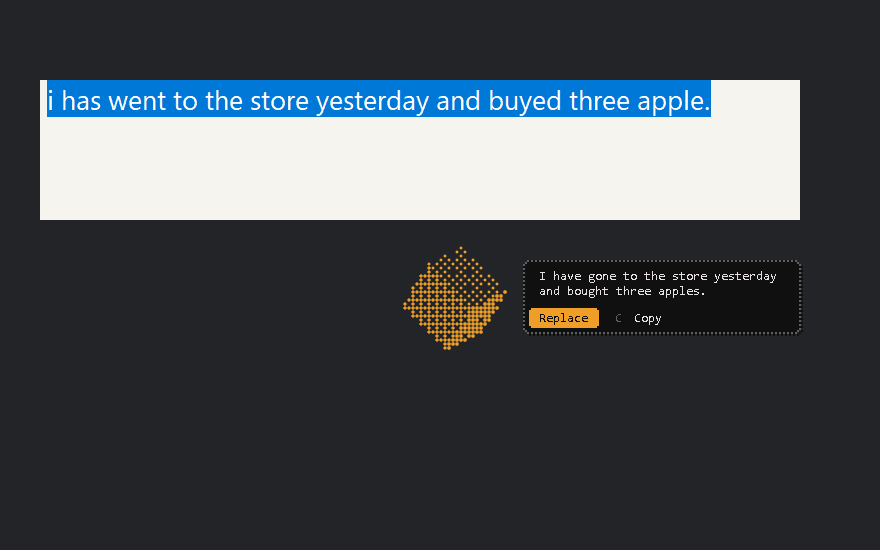
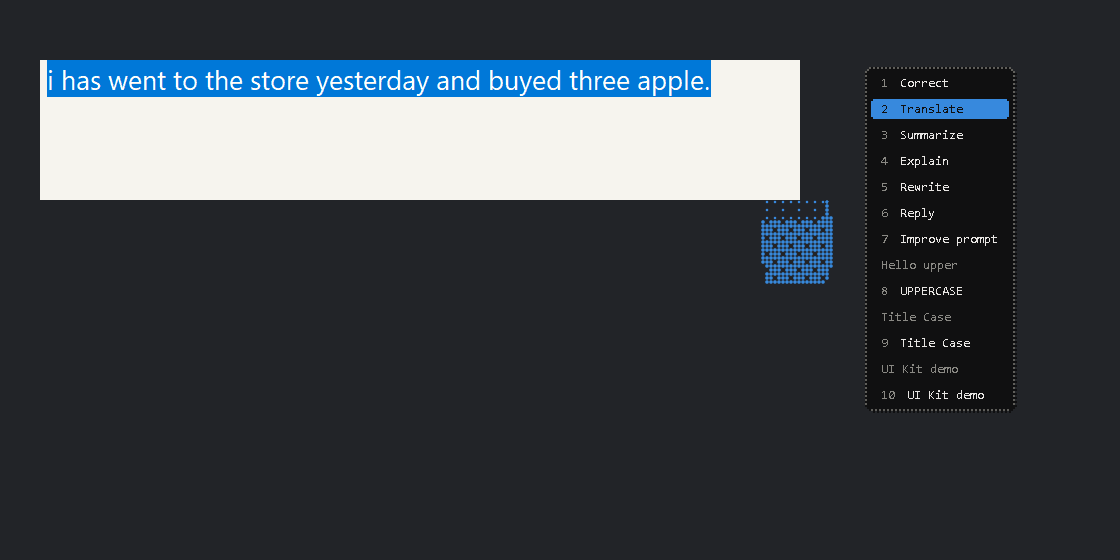
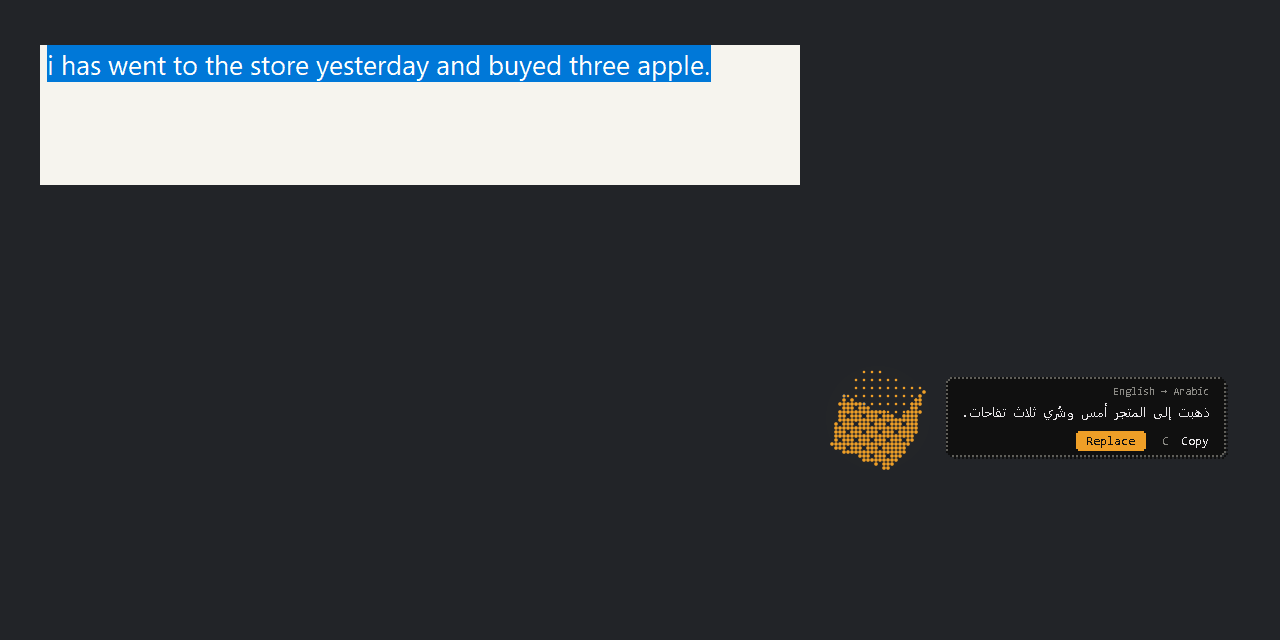
The Cube is a desk pet for Windows: a small, dot-dithered jelly cube that floats on the desktop. Select text in any app, press Ctrl+Shift+Space, pick an action, and the answer comes back in a bubble beside the cube. It shows what it is doing through colour and motion only: blue while it listens, purple while it thinks, amber while it waits for you, green when it is done.
By default everything runs on a local model and nothing leaves the machine. Cloud models (Claude, Gemini) are optional and stay off until they are connected in the control panel.
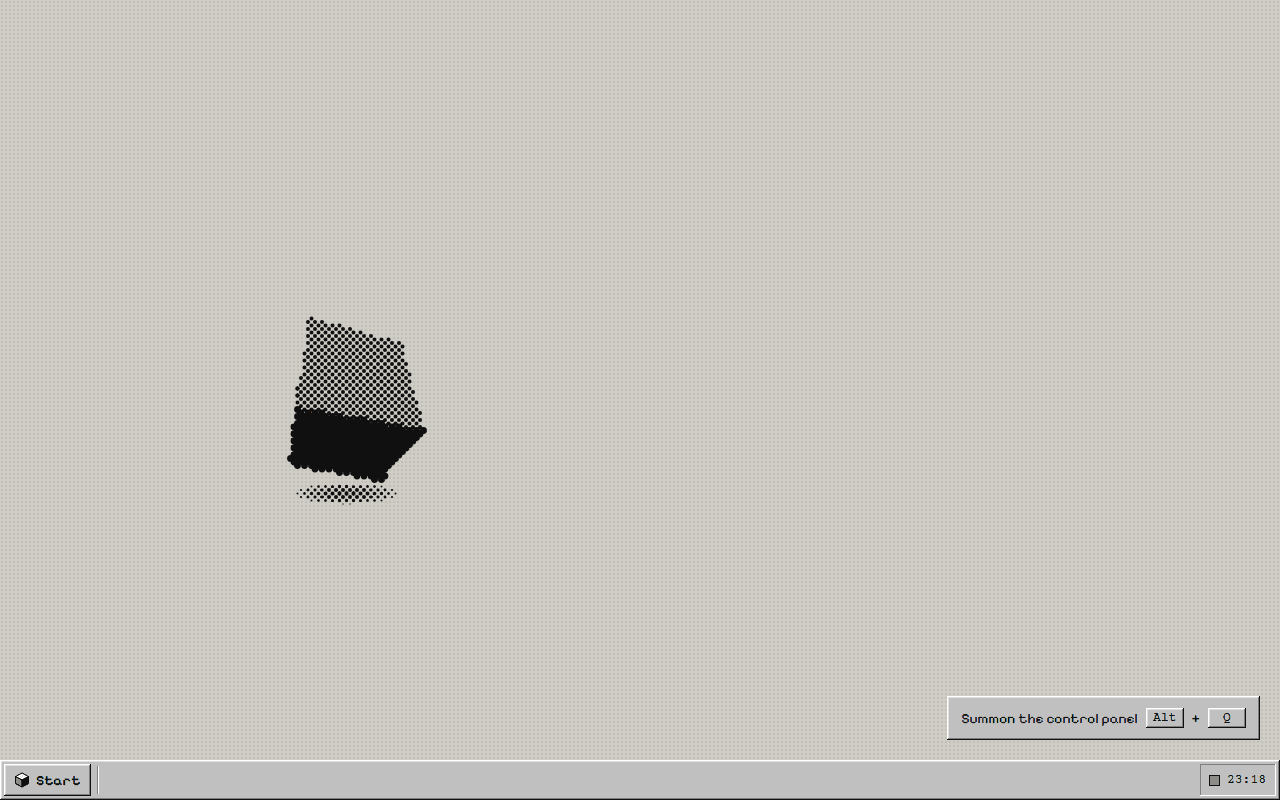
It started as a body before it had a brain. The first phase built only the cube: a transparent, always-on-top window with a soft-body cube that floats, spins and changes colour, matched against a browser prototype of the look and the motion. The AI came after, as a separate program. Everything it does is built for English and Arabic, alone or mixed in one sentence: fix a typo or translate a paragraph without leaving the app you are in, and without the text leaving the PC.
(02) — Implementation
Two programs talk over a local WebSocket bound to loopback:
app/, in C++ with SDL3 and Win32: the cube, the hotkeys, the menu and bubble, and the clipboard. It never takes keyboard focus, so your selection stays highlighted.brain/, in Python: a service that runs the AI actions. A router picks the model for each request: a local Ollama model by default (qwen3.5 4B), or Claude or Gemini if you connect them.
The body is a soft cube of 8 points and 28 springs, integrated with Verlet. It drifts toward a new random point every few seconds and bobs as it hovers. Its spin axis slowly wanders, so it tumbles. It is drawn through a 4×4 Bayer dither, and each state has its own colour, spin speed and shape pulse.
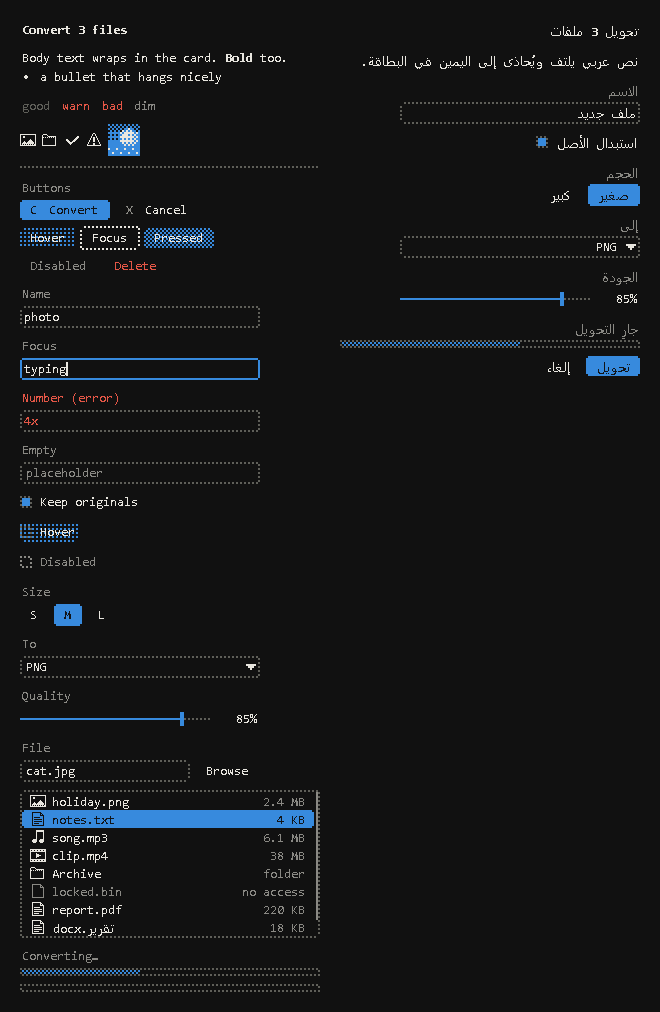
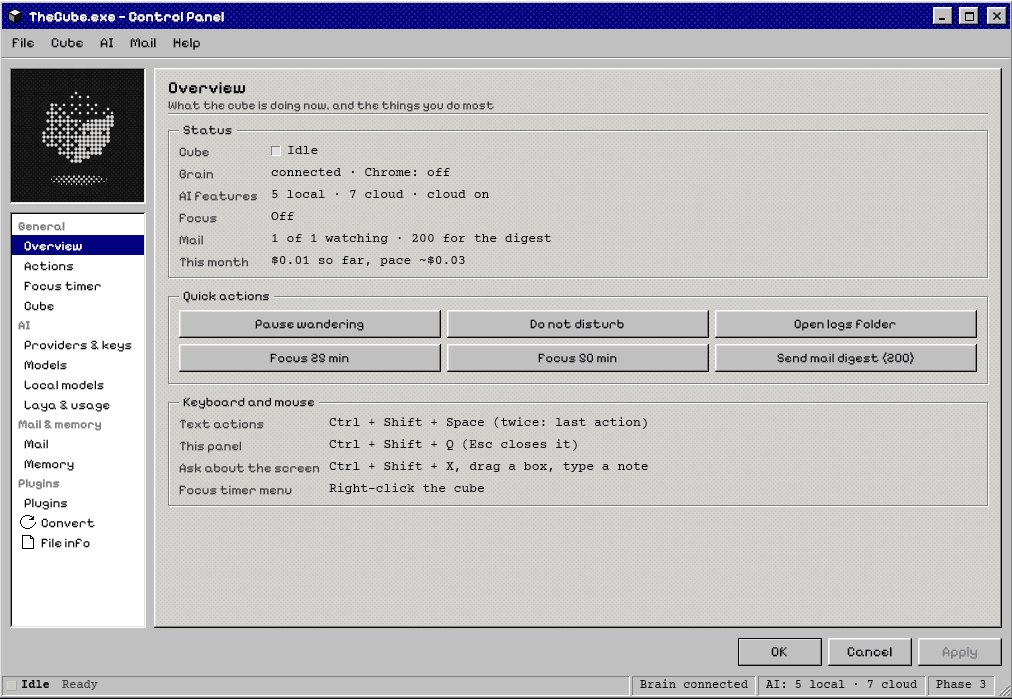
- Seven built-in text actions, each a Python plugin: Correct, Translate, Summarize, Explain, Rewrite, Reply and Improve prompt. Your own actions go in
plugins/, with a UI kit for windows and control-panel pages. - Screen snip (Ctrl+Shift+X): draw a box around an error, a form or a chart and ask about it. The text is read on the PC with Windows OCR, in English and Arabic.
- New-mail alerts from one or more Gmail accounts. The cube turns red-orange, with an Open / Dismiss bubble.
- A focus timer: the cube parks in a corner, spins slower as time runs out and empties from the top like an hourglass.
- Memory (facts about you, result history) in SQLite.
- A portable package (about 22 MB) that starts its own brain and stops it on exit.
(03) — Challenges
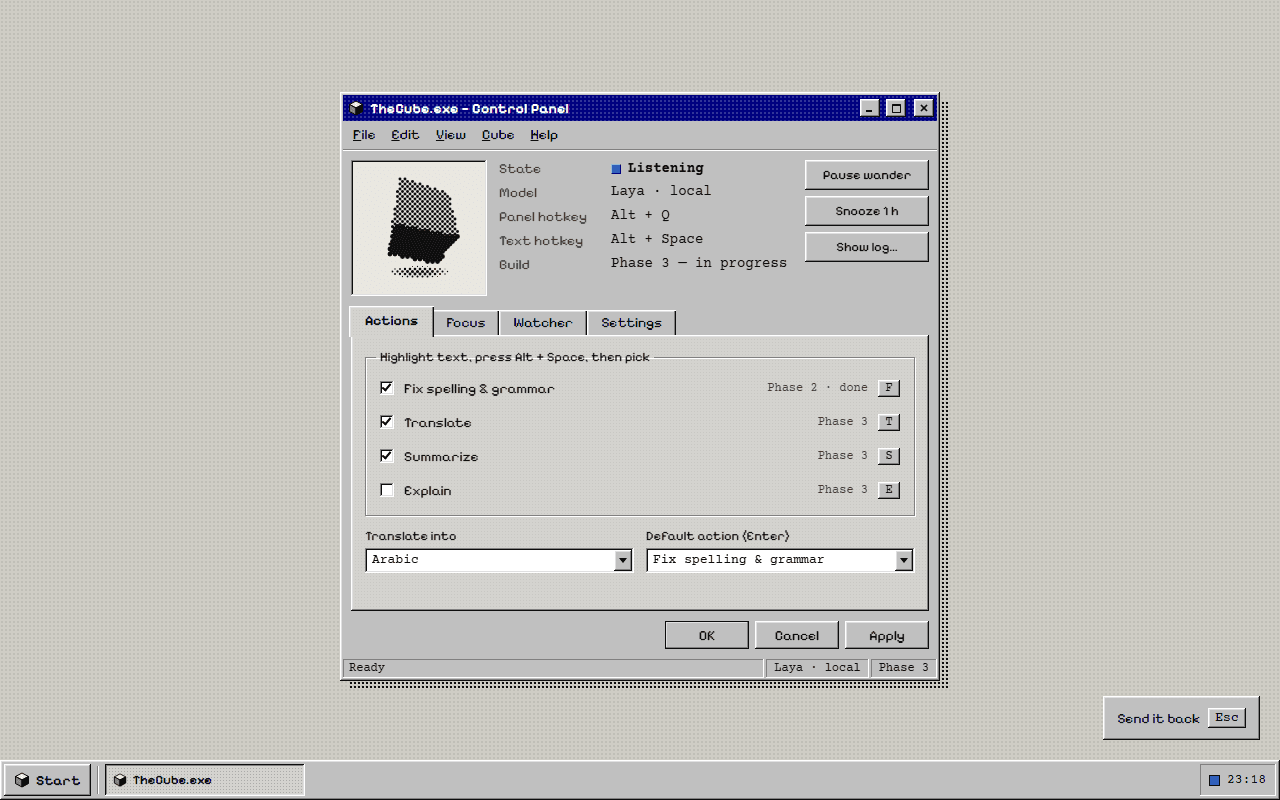
- Hotkeys. The design-stage panel used Alt+Q and Alt+Space. In apps with keytips, such as Windows 11 Notepad and Office, a hotkey containing Alt opens the keytips and the text capture fails, so the shortcuts moved to Ctrl+Shift.
- The clipboard. Text is captured and replaced through the clipboard. Replace pastes with Ctrl+V and restores your clipboard 250 ms later; only text on the clipboard survives the round trip.
- A small local model. On a 4 GB laptop RTX 3050 the 4B model is split between GPU and CPU and still answers short sentences in about a second. It is good for typos and grammar but occasionally wrong on Arabic diacritics, so the bubble always waits for you before it replaces anything.
- Never stealing focus. If the cube took keyboard focus, your selection would lose its highlight and Replace would paste into the wrong place. So the cube's windows never activate: number keys, Enter, Esc and C are only taken over while the menu or bubble is open, and given straight back when it closes.
- Reading the screen. A snip gives the model two things, the text Windows OCR read and the picture itself. The model is told the text is more exact for words and numbers, and the picture is for charts, layout and icons. The picture is scaled to at most 1280 px on its longest side, so a small local model can still take it.
(04) — Outcome / Next
In development, at version 0.7.0. It runs on Windows 10 and 11, on the primary monitor only. A Chrome extension, also in progress, will let the cube read the page you are on.
Next on the list: voice input (whisper.cpp), free-form commands instead of a fixed menu, and control of the laptop itself through Windows UI Automation. Fine-tuning comes only if the logs show a local model failing the same task again and again. The source is private for now, and the portable package is built but not yet published.