← WorkW/02 — Case study
Gadwal
A WhatsApp-native booking platform for sports facilities in the Omani market.
- Type
- Platform
- Status
- Offline
- Year
- 2026
- Role
- Sole developer
- Stack
- Laravel 12
- Next.js 16
- PostgreSQL
- WhatsApp via Twilio
- Thawani Pay
- Docker + Caddy on Hetzner
- Links
- gadwal.net — offline for now
(01) — Overview
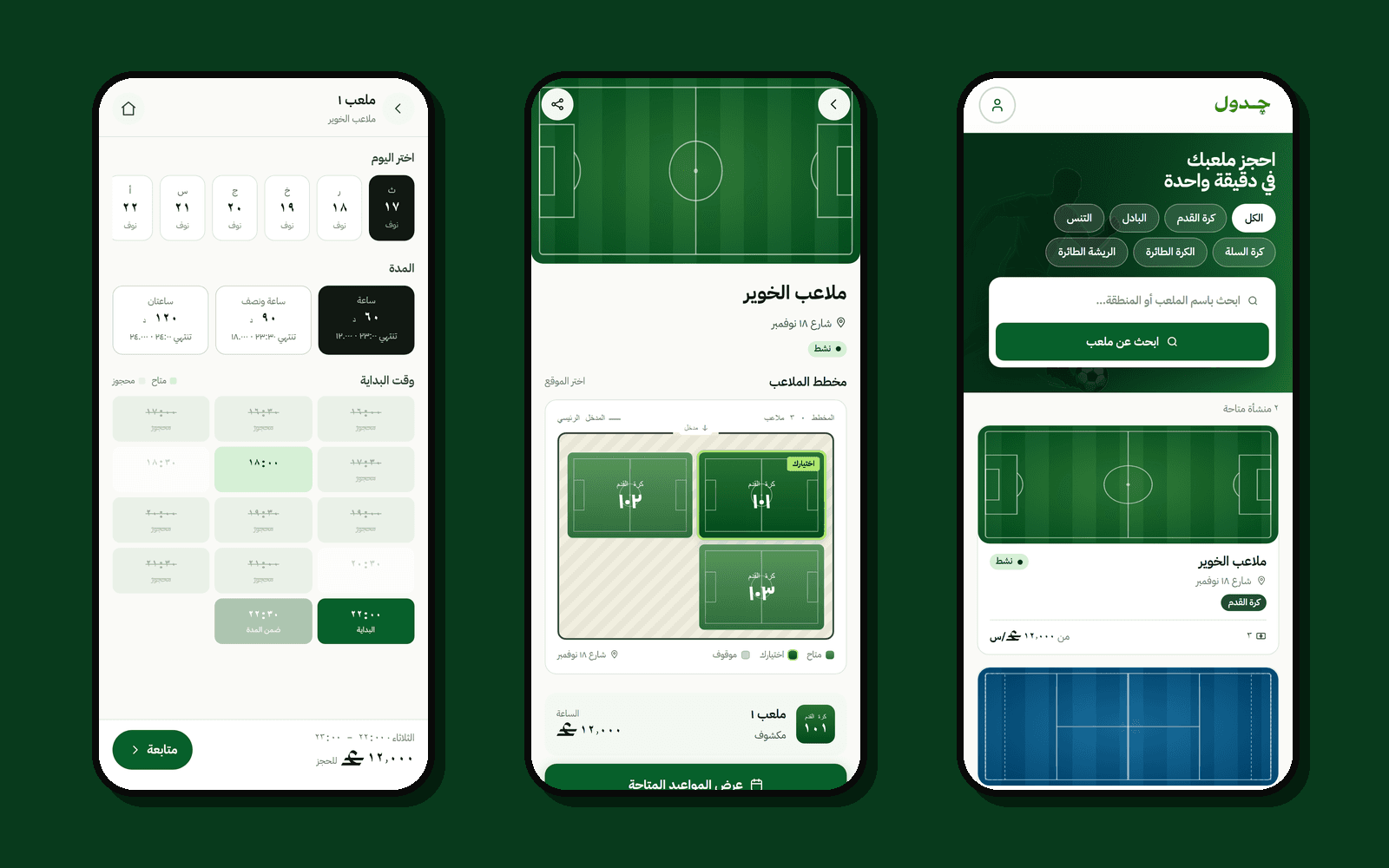
Gadwal (جدول, "schedule") is a booking platform for sports facilities in Oman: futsal pitches, padel and tennis courts, and other venues that rent out courts by the hour. Instead of asking players to install another app, the booking conversation happens where they already are: WhatsApp.
Before Gadwal, booking a court meant calling the venue and hoping someone picked up, or a WhatsApp chat with the owner, a paper log and the occasional double booking. Gadwal has three kinds of users:
- Players book as guests, with a name and a WhatsApp number. They never create an account.
- Facility owners and their staff run the day from a dashboard: today's bookings, QR check-in, blocked courts, bans and staff permissions.
- Gadwal's own team oversees every facility, booking, payment and WhatsApp delivery from a separate admin console.
The screenshots on this page come from the real app running locally, with two made-up venues in Muscat as demo data.
(02) — Implementation
Three codebases make one product. A Laravel 12 API owns all the data and rules, and is the only part that talks to WhatsApp (through Twilio) and to card payments (through Thawani Pay). A Next.js 16 app serves both the public booking pages and the owner dashboard, Arabic-first and built for phones. A second Next.js app is the internal admin console. Everything runs as Docker containers on one Hetzner server behind Caddy, with PostgreSQL 16, on one domain, so there is no CORS to configure.
A booking moves through the system like this:
- Pick a slot. The guest picks a court, a day from a seven-day strip, a length of 60, 90 or 120 minutes, and a start time from a grid that greys out what is taken.
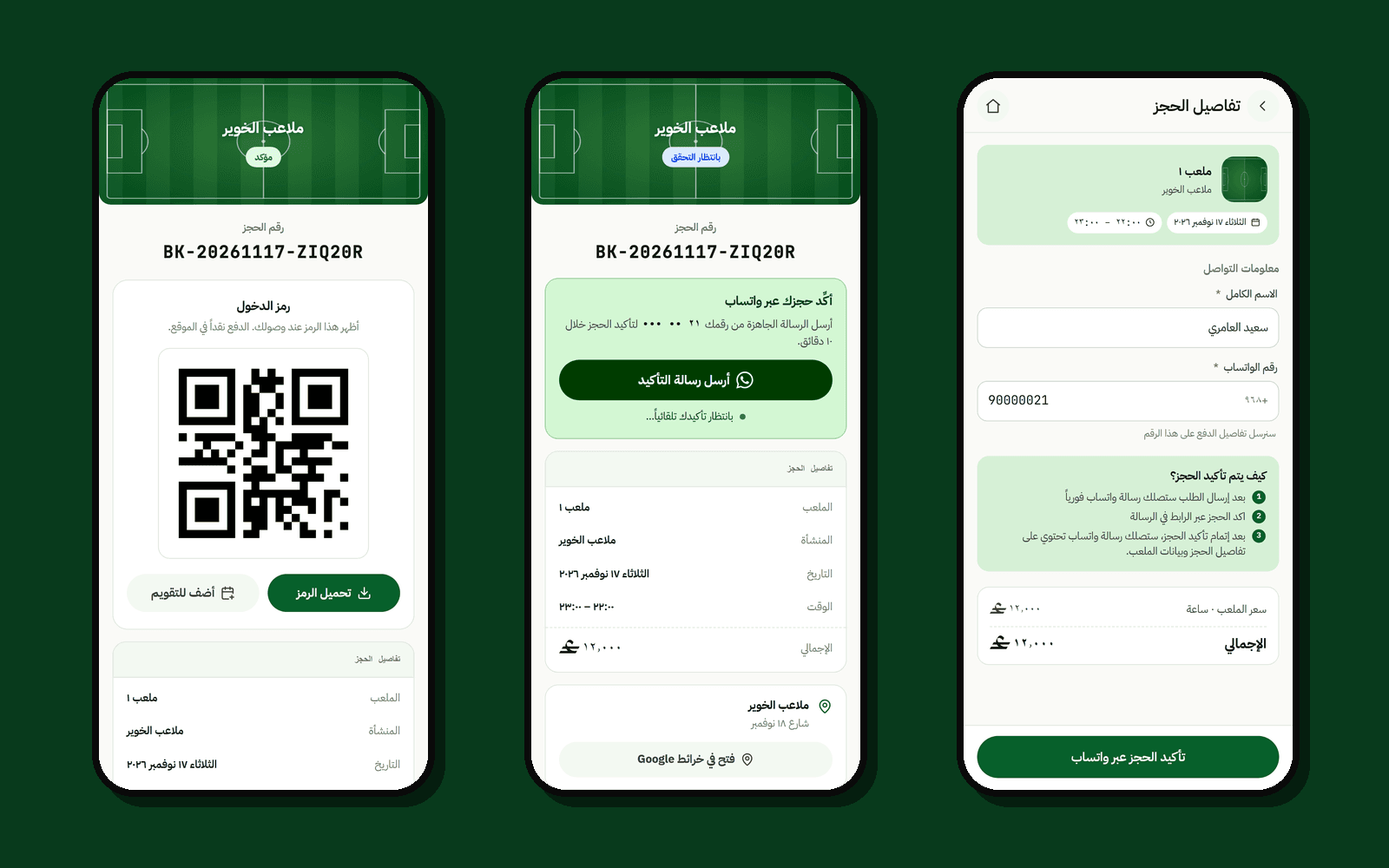
- Send the request. The guest enters a name and a WhatsApp number. The API creates a booking that holds the slot for 10 minutes and returns a WhatsApp link with a one-time token in a pre-filled message.
- Confirm on WhatsApp. The guest sends that message. Twilio passes it to the API's webhook, which checks the token against the phone number and confirms the booking. The guest gets the confirmation and a QR ticket on WhatsApp.
- Pay, if the venue asks for it. A venue can ask for a small online deposit (1 OMR per 30 minutes) through Thawani. The rest of the price is always paid in cash at the venue.
- Arrive. Staff scan the QR code at the door. It only works on the day, at the right venue, and once.
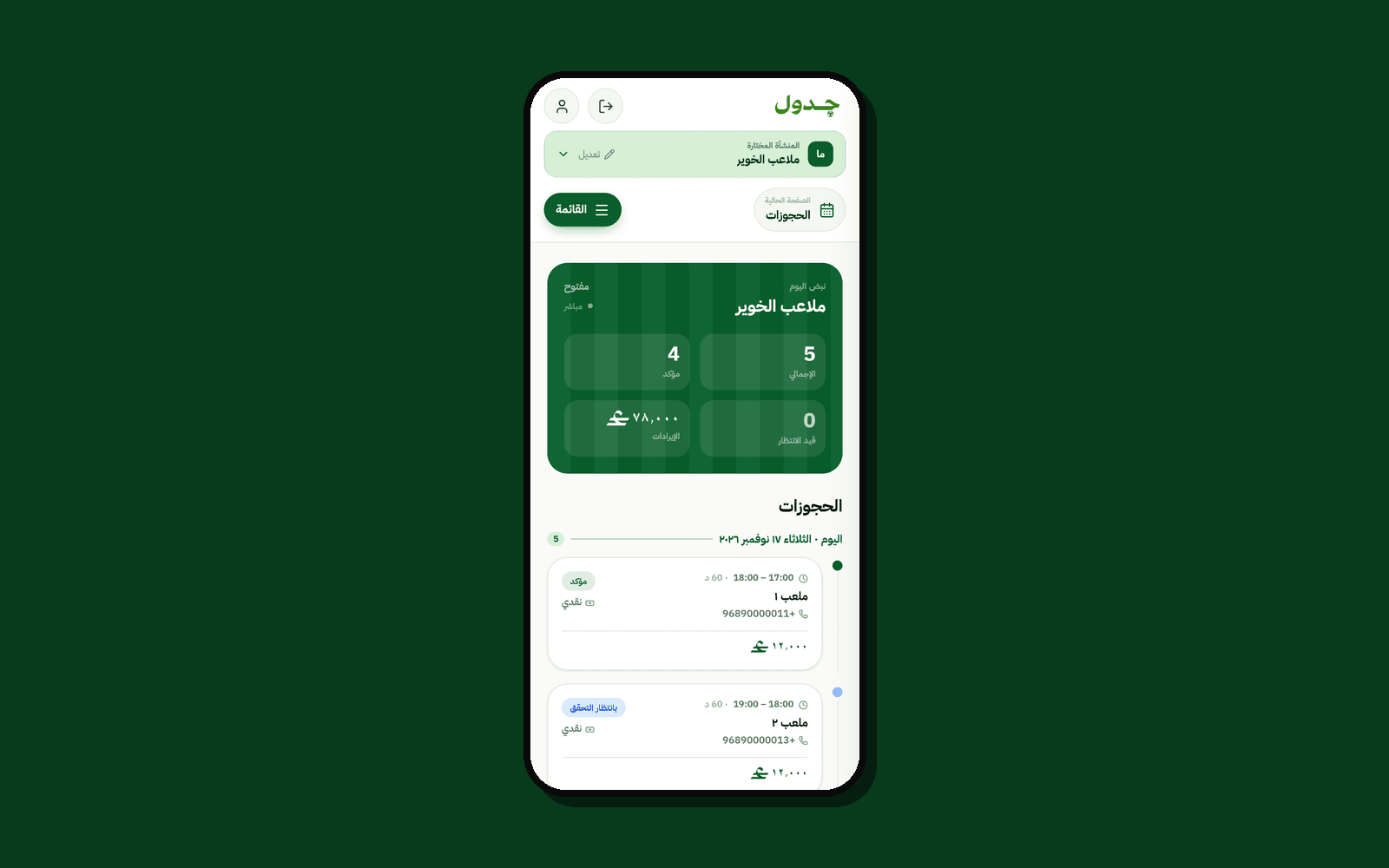
Owners run the day from a dashboard built for the phone. The Today board shows confirmed and pending bookings with today's takings, sorted pending first. Other pages scan QR tickets, block courts (repeating weekly for up to 16 weeks), share the venue's link with a QR code and a ready WhatsApp message, ban numbers that keep not showing up, and add staff with their own permissions.
(03) — Challenges
- Confirming without an app or an account. Rather than sending players a code, Gadwal has them send a pre-filled WhatsApp message carrying a one-time token. The webhook checks that token against the number it came from, so a booking is confirmed by the phone that made it, with nothing to install and no password.
- Never trusting the browser with a payment. After a Thawani checkout, the API fetches the session from Thawani itself and checks that the amount paid is exactly the deposit before confirming anything. A mismatch is logged for the team to review rather than silently accepted or rejected.
- Two people, one slot. Overlaps are blocked in the application with a row lock, and in PostgreSQL with an exclusion constraint on the court and time range. A bad script or a manual edit cannot double-book a court, and a race between two live holds fails loudly when the second is confirmed.
- Keeping the cash economy. Venues in Oman run on cash, so Gadwal never takes the full price online. The optional deposit is only there to cut no-shows; the rest stays between the player and the venue.
(04) — Outcome / Next
Gadwal is built and was deployed at gadwal.net, which is offline for now. All of it works end to end: guest booking, WhatsApp confirmation, the optional deposit, QR check-in, the owner dashboard with staff and bans, and the admin console with audit logs and delivery monitoring.
Next for owners are the Reports and Settings pages, which are still placeholders in the dashboard.