← WorkW/06 — Case study
Lumen
Audiobooks in the language you are learning, with a translated subtitle floating above every window, transcribed and translated on your own computer.
- Type
- Desktop app
- Status
- Working build
- Year
- 2026
- Role
- Sole developer
- Stack
- Python
- PySide6 / QML
- faster-whisper
- NLLB-200
- CTranslate2
- SQLite
- Links
- Source — GitHub ↗
(01) — Overview
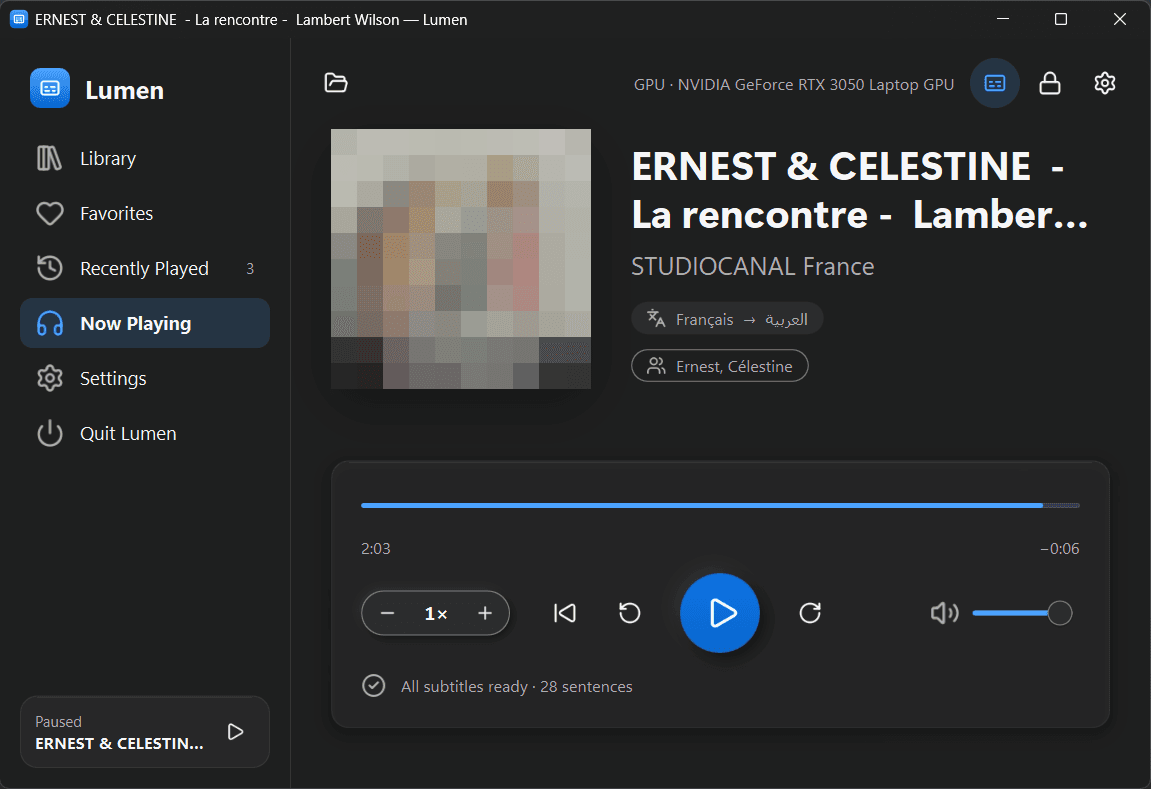
Lumen is a Windows app for learning a language by ear. You listen to an audiobook in the language you are learning, and a translated subtitle floats above every window, sentence by sentence, in your own language.
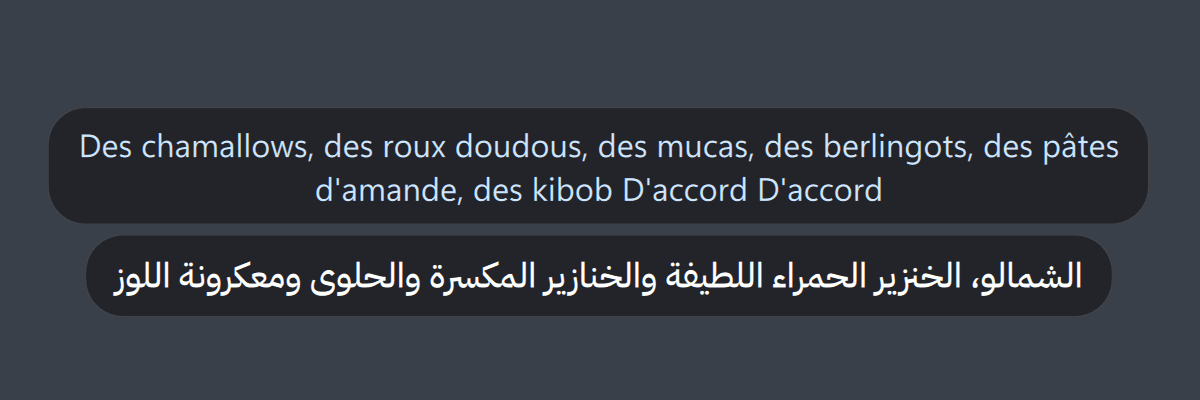
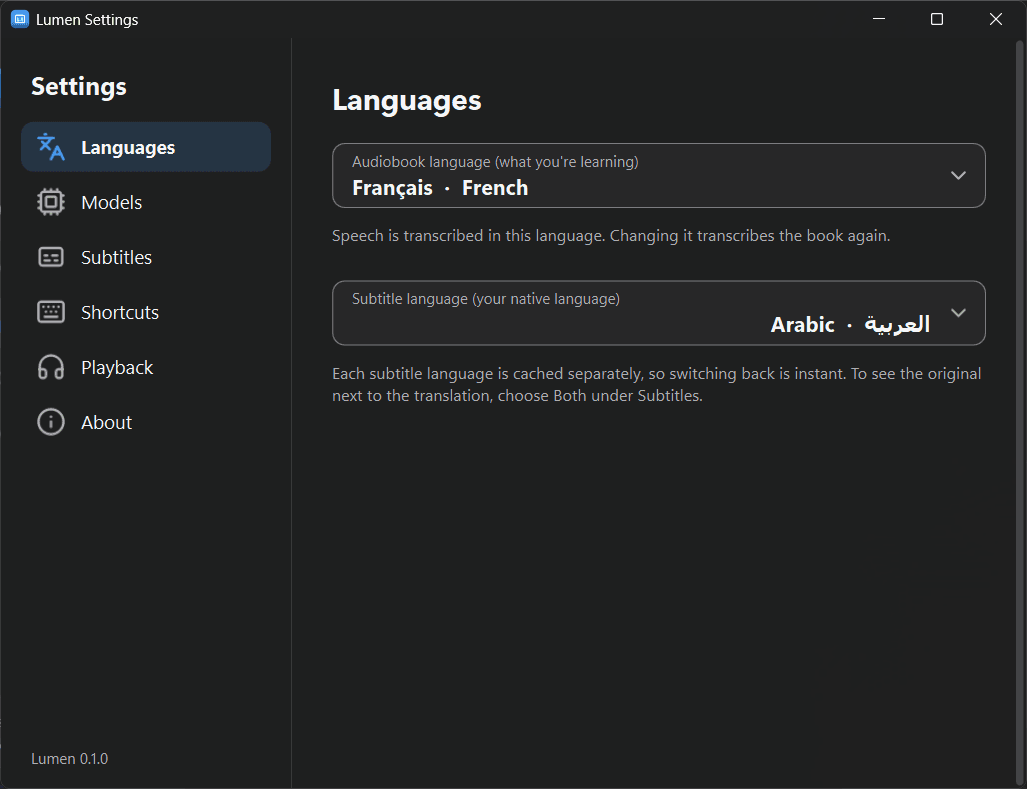
It transcribes the book with Whisper and translates each sentence with Meta's NLLB-200, entirely on your computer. After a one-time model download, it never needs the network. The subtitle shows only the translation by default; an option shows the original line above it.
The screenshots on this page come from the app running on my laptop, with a French audiobook translated into Arabic. The book's cover art is pixelated.
(02) — Implementation
Lumen is Python 3.12 with PySide6 (Qt 6) and QML for the interface. Speech recognition uses faster-whisper on CTranslate2, and translation uses NLLB-200 through CTranslate2 and SentencePiece, with no PyTorch at run time. PyAV decodes the audio, and mutagen reads covers and chapters. It ships as a Windows app built with PyInstaller.
A book moves through it like this:
- Decode the audio to 16 kHz mono with PyAV.
- Transcribe with faster-whisper, using word timestamps and voice-activity detection.
- Build whole sentences from the words, so a subtitle never stops halfway through a thought.
- Translate each sentence with NLLB-200 and keep it in a SQLite cache for that book.
- Show it on a 16 ms subtitle clock, in a floating window that is always on top and lets clicks through.
- It stays ahead of you. A background process always works on the first unfinished part at or after the playhead, then fills in the rest of the book. Seek far ahead and it drops what it was doing and starts there.
- Reopening is instant. Results are cached per book. Switching your native language translates the cached transcript again, without listening to the book again.
- Names come out right. Character names are given to Whisper as a hint and as hotwords, so "Célestine" is not heard as something else.
- It fits the hardware. It picks Whisper Large v3 Turbo and NLLB 1.3B on an NVIDIA GPU, and smaller models on a CPU.
(03) — Challenges
- Keeping the interface smooth. Model loading, CUDA set-up and out-of-memory errors would freeze or crash a single process. So the speech and translation work runs in its own process at below-normal priority, talking to the interface over queues. If it crashes, Lumen restarts it and reopens the book at the playhead, and events from a book you have left are ignored.
- A subtitle that floats over everything. The overlay has no frame and no taskbar entry, never takes focus, lets clicks through, and re-asserts itself on top every two seconds. Its position is remembered from the bottom centre, so bigger text grows upward.
- Real glass that broke. Windows' Acrylic blur, on a click-through window, fills the whole window as an opaque grey slab and cannot be clipped. The overlay uses a tinted pill instead, tested to keep white text at 4.5:1 contrast over white, black, grey and yellow. The main and Settings windows use real Mica, which needed Qt switched from Direct3D 11 to OpenGL.
- Shortcuts other apps already own. Ctrl+Alt+Space was taken on my own PC, so play and pause moved to Ctrl+Alt+P, and Lumen says at start-up when any of its shortcuts is taken.
(04) — Outcome / Next
Lumen works end to end on Windows 10 and 11, with a library, favourites, a floating mini-player, global shortcuts and a command line that controls the running app. The source is on GitHub.
Next is macOS and Linux: every call to the operating system already sits behind one folder, and the porting checklist is written. One limit stays: NLLB-200 is licensed for non-commercial use only, so selling Lumen would mean swapping in M2M100, which is a small change.